When the internet drops, your guest still needs to get in



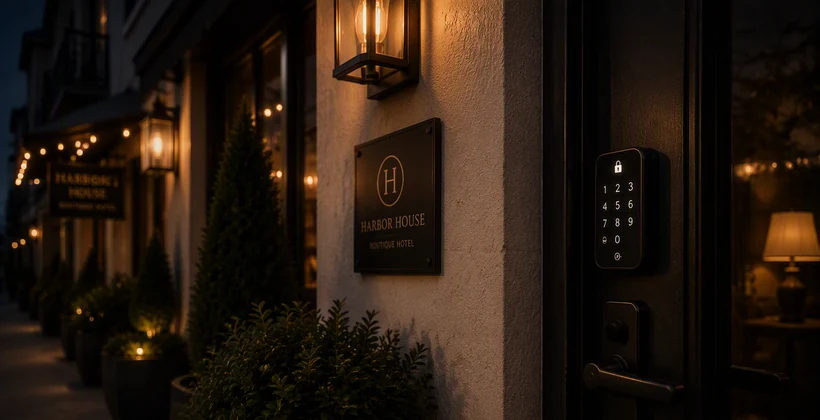
Picture a guest pulling into a vacation rental at 11 p.m., kids asleep in the backseat, punching in a door code that never syncs. The lock's been offline for hours — spotty Wi-Fi, a router reboot, whatever the cause — and the PIN generated by the reservation system never made it to the device. Now they're standing on a dark porch, calling a number nobody's answering yet.
It's one of the more common support calls behind vacation rental access control: the PIN worked on paper, but the lock never got the message. RemoteLock's backup PINs exist for exactly this moment — a quiet safety net that's already in place long before anything goes wrong.
A pool of PINs, waiting in reserve
Every supported smart lock can hold a small pool of backup PINs — two by default, adjustable up to five — synced directly to the device while it's still online. They sit there unused and invisible, even to the property manager, until a normal PIN fails to reach the lock. On locks that communicate over Bluetooth rather than Wi-Fi, that pool matters even more, since those devices are often installed in spots with the least reliable connectivity to begin with.
That's the part worth remembering: backup PINs have to be turned on and synced ahead of time. There's no flipping them on once the connection is already down. A property manager sets this up under account settings, selects the devices or locations, and RemoteLock handles the syncing in the background from there. It's one more reason choosing the right lock for a property up front pays off later.
When a sync fails
If a guest's PIN doesn't make it to an offline lock, RemoteLock flags the failure, and a new option appears on that guest's record: assign backup PIN. Clicking it pulls one of the pre-loaded codes out of reserve and attaches it to the guest.
From there, it works immediately, with none of the usual start and end time restrictions. If the lock's connection comes back before the reservation ends, that PIN is supposed to pick up the guest's original schedule automatically. If the lock never reconnects, the PIN keeps working until someone physically visits it and removes it — not unlike handing a spare key to a dog walker. It's practical, but it's not something to leave unmanaged.
More guest access insights, straight to your inbox
Subscribe for practical tips on lock connectivity, PIN management, and keeping guests moving in and out without a hitch.
Not the same as a ReadyPIN
For locks that support it, RemoteLock's time-bound ReadyPINs are usually the better first choice — they start and stop exactly on schedule, with no manual cleanup required. Backup PINs step in where that isn't an option, or as the last resort when even that process fails. The tradeoff is worth knowing upfront: backup PINs don't expire on their own, so someone still needs to close the loop once the guest moves on.
Build it in before you need it
Connectivity issues rarely show up at a convenient time — often not during a quiet stretch, but in the middle of a high-turnover weekend. That's especially true for operators running more properties with a smaller team, where there's no one nearby to swing by and check a router. Portfolios built around remote, staff-light operations are exactly where a pre-loaded pool of backup PINs earns its keep.
Setting it up takes a few minutes per device — and those are minutes better spent before a lock goes dark, not after.
See how RemoteLock works for vacation rentals
Explore access automation and connectivity safeguards built for guest turnover at scale.

RemoteLock has been automating access control and improving on-site property operations efficiencies across multiple industries, including vacation rental and multifamily, for more than ten years. As a leading access-centered property operations software platform provider with more than 10,000 customers in 75+ countries, RemoteLock helps property managers enable, control, and automate access and climate control across their portfolio. RemoteLock’s platform saves property managers time and money through the elimination of tasks for onsite staff and helps scale businesses with greater confidence. It is differentiated by its dozens of integrations with applicable hardware and business software systems for an easy-to-use, turn-key solution.
Access that Works Everywhere
One flexible platform built to support modern properties, no matter who needs access or how your portfolio scales

Interested in learning more?
Explore blogs, webinars, and videos related to what you just read

The 6am delivery problem: giving vendors access without giving up control
What actually happens when a patron reserves a study room
The maintenance request that never gets logged