What actually happens when a patron reserves a study room



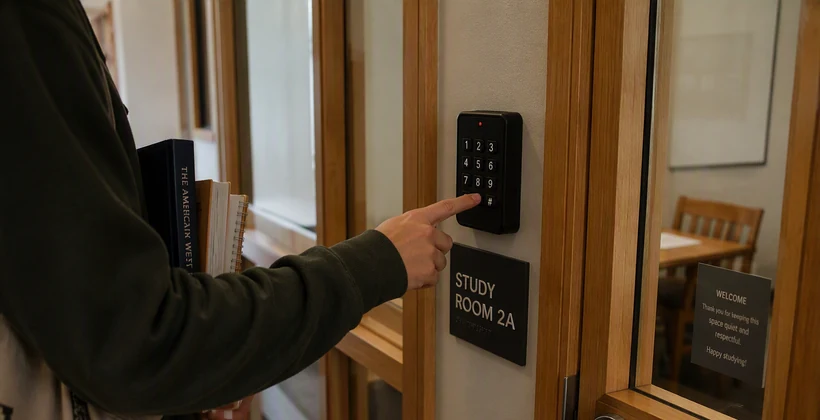
A patron opens the library's website, finds an open study room for Thursday afternoon, and books it in under a minute. From their side, that's the whole interaction. What happens next, on the library's side, used to depend entirely on a staff member remembering to do something about it.
The old version of this workflow
A reservation would come in through the booking system, and a staff member would need to notice it, then separately handle access: a physical key held at the desk, a shared code, or simply an unlocked door during service hours. None of it was really about the room. It was about the extra step someone had to remember to take on the room's behalf.
Where Communico fits in
Communico is the software many libraries already use to manage room and space reservations. It knows exactly who booked what, and for how long. The missing piece was ever getting that information to the door itself.
Modern library operations, straight to your inbox
Subscribe for practical guidance on access, shared spaces, and reducing manual work at the desk.
What the integration actually does
RemoteLock's integration with Communico closes that gap directly. When a patron reserves a room, RemoteLock automatically issues a credential valid for exactly that reservation window. No staff member has to notice the booking or hand over a key. The access simply exists for the time it's needed, and nothing outside of it.
What changes at the desk
Staff stop being the connective tissue between a reservation and a working door. RemoteLock's approach to library access more broadly covers this same pattern across meeting rooms, study rooms, makerspaces, and staff-only areas: the reservation and the access are the same event, not two separate steps that happen to be related.
What it looks like when something goes wrong
A patron who never reserved the room simply can't get in. A reservation that gets cancelled loses its access automatically, without anyone at the desk needing to intervene. The system enforces exactly what was booked, which is a lot more consistent than a shared code everyone happens to know.
What this means for larger branches
A single-branch library with one study room can get by on manual coordination longer than a system with a dozen branches, each running several bookable spaces. The Communico-to-RemoteLock flow scales the same way regardless of size: one reservation, one credential, no additional staff step required per booking, whether that's one room or two hundred across a whole system.
It also holds up better under unpredictable demand. A sudden spike in bookings around exam season or a community event doesn't create a corresponding spike in staff work, because the system that grants access was never the bottleneck to begin with.
What patrons actually experience
From a patron's side, this mostly means the reservation just works the way they'd expect it to, with no separate step to remember. They book online, show up, and the door recognizes their reservation. There's no second system to learn, no separate app to download just for room access.
That simplicity matters more than it might seem. A patron who has to jump through an extra hoop to actually use a room they already booked is a patron who's more likely to give up on the whole idea, or simply not bother booking again next time.
What to expect during setup
Getting Communico and RemoteLock talking to each other is largely a one-time configuration step, not an ongoing maintenance burden. Once the connection is in place, every future reservation flows through it automatically, without library IT needing to touch the integration again for routine use.
None of this requires patrons to change how they already book a room. The improvement happens entirely behind the scenes, which is usually the sign that an integration has been done well.
This same reservation-to-access link extends naturally to less traditional spaces too. Makerspaces and other shared spaces benefit from exactly the same mechanics described here.
Schedule a demo
See how RemoteLock and Communico turn a room reservation into working access automatically.

RemoteLock has been automating access control and improving on-site property operations efficiencies across multiple industries, including vacation rental and multifamily, for more than ten years. As a leading access-centered property operations software platform provider with more than 10,000 customers in 75+ countries, RemoteLock helps property managers enable, control, and automate access and climate control across their portfolio. RemoteLock’s platform saves property managers time and money through the elimination of tasks for onsite staff and helps scale businesses with greater confidence. It is differentiated by its dozens of integrations with applicable hardware and business software systems for an easy-to-use, turn-key solution.
Access that Works Everywhere
One flexible platform built to support modern properties, no matter who needs access or how your portfolio scales

Interested in learning more?
Explore blogs, webinars, and videos related to what you just read

When the internet drops, your guest still needs to get in
The maintenance request that never gets logged
Access that matches the schedule, not the other way around