Access that matches the schedule, not the other way around



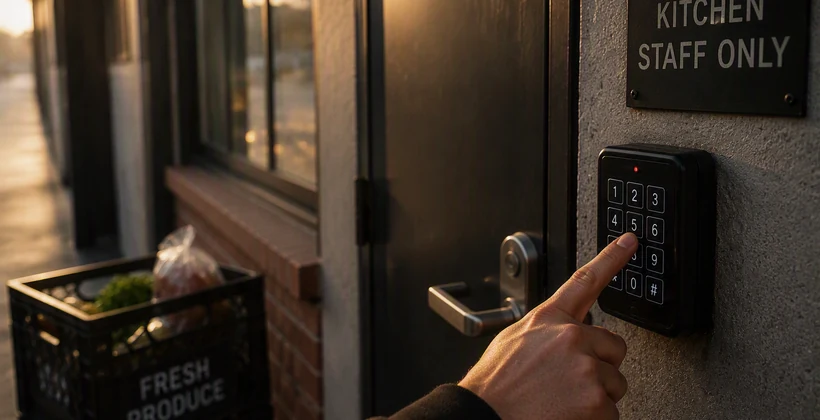
Ask a restaurant manager how many people currently know the back door code, and most of them won't have a real answer. It was set months ago, shared with a training class that's mostly moved on, and never changed since. Nobody made a bad decision here. The code just never had a reason to update, because nothing in the restaurant's systems was watching for one.
Shifts change constantly. Access doesn't
Restaurant staffing is some of the most fluid in any industry. People pick up shifts, cover for a sick coworker, work a single weekend brunch and never come back. A scheduling system tracks all of this in real time. The door usually doesn't, because access and scheduling have historically lived in two completely separate systems that were never built to talk to each other.
What a shared code actually costs
A shared code feels convenient until it isn't. Nobody can say for certain who's been in the building after hours. A former employee who left on bad terms still has the same access as someone hired yesterday. None of this shows up as a single dramatic incident. It shows up as a slow erosion of the one thing a manager actually wants: knowing who's supposed to be in the building right now.
Stay connected to the latest in access control
Get insights on hardware, integrations, and operations delivered to your inbox.
What changes when access follows the schedule
When access is tied to the actual shift schedule, a credential activates when a shift starts and deactivates when it ends, automatically. Someone who picks up a single Saturday shift gets access for that Saturday. Someone who's on the schedule every day gets standing access without a manager having to think about it. Neither case requires a special request or a follow-up.
Where this matters most
Multi-location restaurant groups feel this most acutely, since a single shared code strategy doesn't scale past one location without turning into a real liability. Hogsalt's experience managing access across a growing group of restaurants shows what happens once access stops depending on a code everyone happens to remember and starts depending on who's actually scheduled to be there.
It's not just about security
The security case is the obvious one, but the time savings matter just as much. A manager doesn't have to remember to change a code every time someone leaves. Nobody has to track down who still has the old one. The system already knows, because it's reading from the same schedule the whole team already works from.
What this takes to actually set up
The good news is that most restaurants already run their scheduling through a system that knows, day by day, who's supposed to be on the floor. The access side doesn't need to reinvent that information, it needs to read from it. Once the two are connected, a manager stops being the manual link between a schedule change and a door that reflects it.
This matters just as much for a single independent restaurant as it does for a growing group. A single-location owner who's also doing the scheduling by hand benefits from the same automation as a regional operations director managing a dozen kitchens, just at a smaller scale. The underlying problem, access that lags behind who's actually working, doesn't care how many locations a business has.
What to check before making the switch
Start by looking at how the scheduling system already tracks shifts, since that's the system access needs to plug into, not replace. Most restaurants already have this data in reasonable shape. The gap has never really been about the scheduling side, it's been about nothing on the access side ever reading it.
It's also worth walking through a few edge cases before rolling this out broadly: someone covering a shift outside their usual role, a manager who needs standing access regardless of the schedule, a trainee who shouldn't get full access on day one. A system built around the schedule can still accommodate all of these, as long as the exceptions are planned for rather than discovered later.
The same logic extends past individual staffing changes. Restaurant groups running several locations face this exact problem at a larger scale, where the schedule-to-access link matters even more.
See it in action
See how RemoteLock ties access directly to who's actually scheduled to work.

RemoteLock has been automating access control and improving on-site property operations efficiencies across multiple industries, including vacation rental and multifamily, for more than ten years. As a leading access-centered property operations software platform provider with more than 10,000 customers in 75+ countries, RemoteLock helps property managers enable, control, and automate access and climate control across their portfolio. RemoteLock’s platform saves property managers time and money through the elimination of tasks for onsite staff and helps scale businesses with greater confidence. It is differentiated by its dozens of integrations with applicable hardware and business software systems for an easy-to-use, turn-key solution.
Access that Works Everywhere
One flexible platform built to support modern properties, no matter who needs access or how your portfolio scales

Interested in learning more?
Explore blogs, webinars, and videos related to what you just read

When the internet drops, your guest still needs to get in
What actually happens when a patron reserves a study room
The maintenance request that never gets logged