Managing a multifamily portfolio from one dashboard: what really changes day-to-day



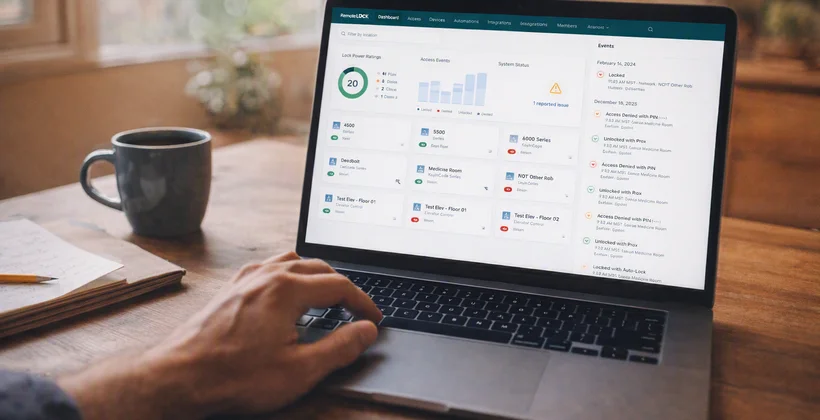
A regional property manager starts most mornings the same way: five properties, five logins, five different views of what happened overnight. One system shows yesterday's maintenance tickets. Another shows who accessed the leasing office after hours. A third is the spreadsheet someone still updates by hand to track vendor visits. By the time the picture is complete, half the morning is gone.
This is the default for a lot of multifamily portfolios, not because anyone chose it, but because the tools were added one property at a time. A PMS here, a standalone lock system there, a side spreadsheet to hold it all together. It works, sort of, until the portfolio grows past a handful of doors and the cracks start to show.
Why per-property tools stop working at scale
Per-property systems were never built to talk to each other. Each one solves a local problem well enough on its own, but none of them were designed with a regional view in mind. So the regional view gets built manually, in someone's head or in a shared spreadsheet, and it's only ever as current as the last update.
The result is a lot of quiet inefficiency. A maintenance issue at one property doesn't get compared against similar issues elsewhere in the portfolio, so a pattern that should trigger a fix goes unnoticed for months. A vendor loses access at one site and still has an active code at three others. None of it is a crisis on its own. Together, it adds up to real time lost and real risk carried.
Multifamily insights, delivered
Subscribe for practical tips on resident access, staffing, and portfolio-wide operations.
What changes when the portfolio moves to one dashboard
Once access, activity, and reporting live in one dashboard across every property, the day-to-day shift is less about new capabilities and more about not having to piece the picture together manually. The information that used to take five logins to assemble is just there, already sorted by property, by user type, by date.
That shift shows up first in the small decisions that used to take longer than they should have: who to call about a slow leak, which property needs a staffing adjustment this week, whether a vendor actually completed a scheduled visit. None of these are complicated questions. They just used to be harder to answer than they needed to be.
Staff scheduling without the spreadsheet juggling
When every property reports into the same system, staffing decisions get easier to make with actual data instead of a gut check. A property with a spike in after-hours maintenance calls stands out immediately, instead of getting lost in five separate activity logs. Regional managers can see where staff time is actually going and grow the portfolio without growing headcount at the same rate.
It also cuts down on the guesswork that comes with covering for a property manager who's out for the week. Anyone stepping in can see exactly what's happening across the portfolio without a lengthy handoff call.
Vendor coordination across every property
Vendor access is one of the more tedious parts of running a multifamily portfolio, and it's exactly the kind of task that per-property tools handle badly. A single dashboard makes it possible to see every vendor's access across every site at once, not just the one property someone happens to be logged into.
That matters more than it sounds like. Automating vendor access means a contractor who finishes a job at one property doesn't quietly retain a door code at another. It's a small operational detail with real security implications, and it's much easier to manage when it isn't scattered across five different systems.
Exception reporting that actually flags something
Most property teams already collect access data. Few of them use it. When that data sits in one place across the whole portfolio, patterns are much easier to spot: a door that's propped open more often than it should be, a resident credential that's still active after move-out, a maintenance visit that never actually happened. Reading access logs as an operational tool, rather than a security afterthought, turns routine data into an early warning system.
RedPeak went through a version of this shift firsthand. Consolidating access across their portfolio didn't just simplify day-to-day admin, it changed how their team could see and respond to what was actually happening on-site. You can read more about how RedPeak simplified apartment management with a unified access platform.
Built for multifamily portfolios
See how access automation and resident tools fit into your property's daily operations.

RemoteLock has been automating access control and improving on-site property operations efficiencies across multiple industries, including vacation rental and multifamily, for more than ten years. As a leading access-centered property operations software platform provider with more than 10,000 customers in 75+ countries, RemoteLock helps property managers enable, control, and automate access and climate control across their portfolio. RemoteLock’s platform saves property managers time and money through the elimination of tasks for onsite staff and helps scale businesses with greater confidence. It is differentiated by its dozens of integrations with applicable hardware and business software systems for an easy-to-use, turn-key solution.
Access that Works Everywhere
One flexible platform built to support modern properties, no matter who needs access or how your portfolio scales
Interested in learning more?
Explore blogs, webinars, and videos related to what you just read
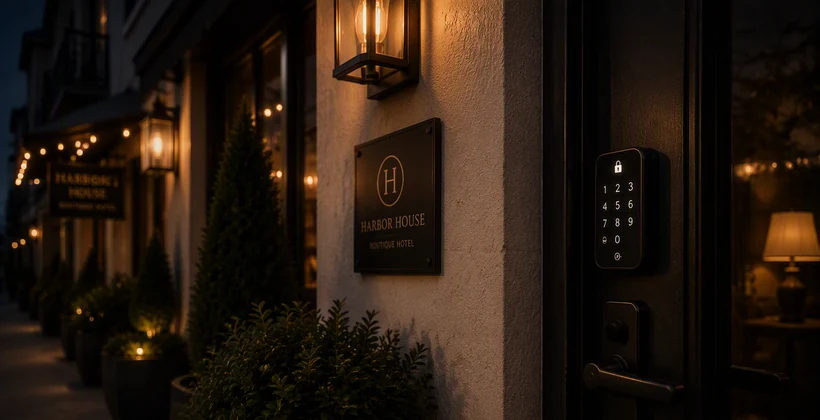

When the internet drops, your guest still needs to get in
The maintenance request that never gets logged
Access that matches the schedule, not the other way around